Shortcuts, folders and hidden files stay where they are
Sortbook does not move your shortcuts, your folders or your hidden files, whatever a recipe says. The app says so at the top of the Recipes tab.

File organizer for Windows
Switch on a recipe for a folder, such as Downloads or your Desktop, and Sortbook moves the files there into subfolders by type, month or year while you work. You can undo any move. If a recipe deletes a file, Sortbook puts it in Staging, and you can restore it from there.
Free to install, and every recipe works for 30 days.
Downloads
Downloads\Sorted
Activity
A drawing of one recipe at work, set with file names from the app's demo folder. Switch the recipe on, then try an Undo. The app's own screens follow below.
How it works
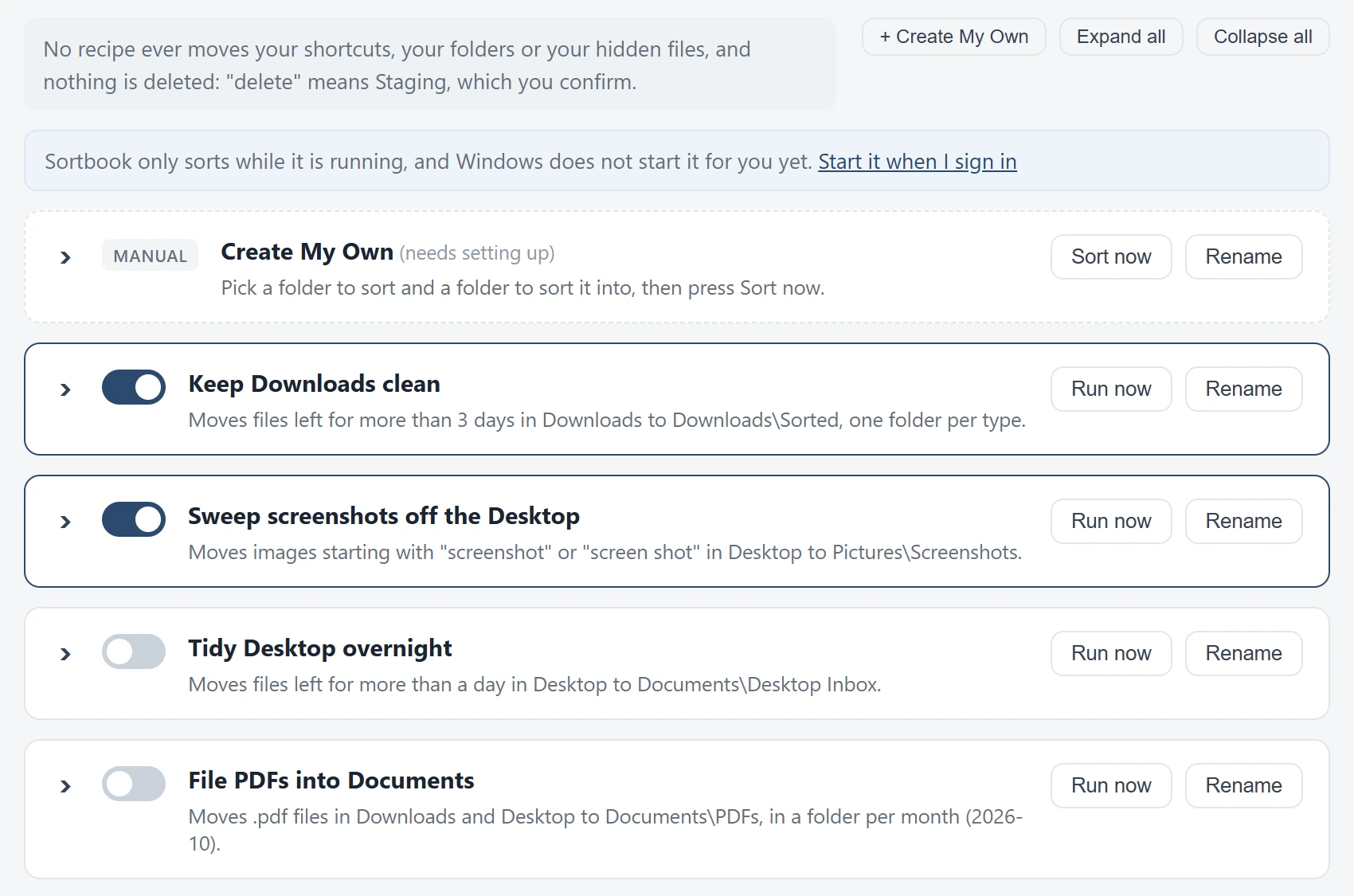
A recipe is one sorting job with an on and off switch. The app comes with ten: nine ready to use and one blank recipe for a folder of your own. They start switched off.
Pick a recipe by its name, such as Keep Downloads clean, Sweep screenshots off the Desktop or File PDFs into Documents, and switch it on. Each card says in one sentence what the recipe does.

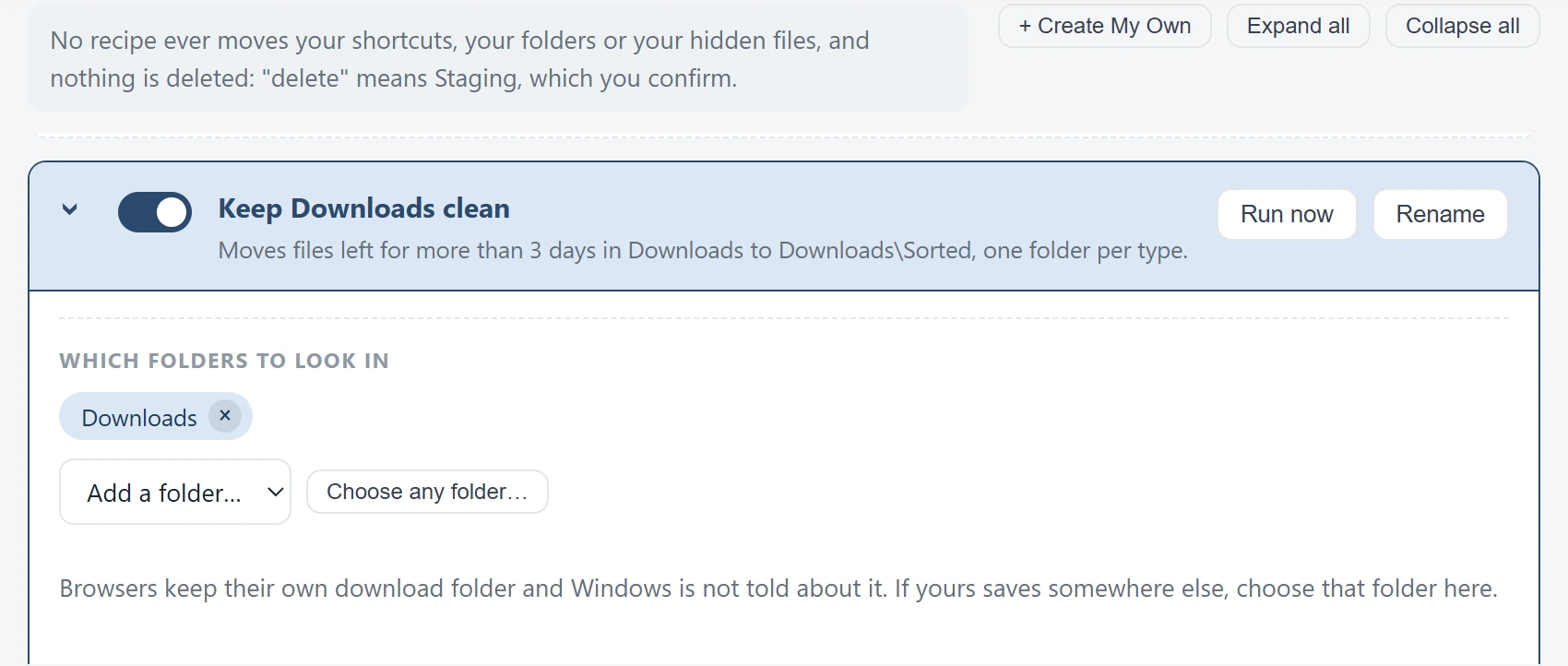
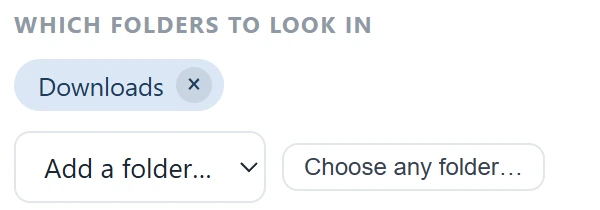
Open a recipe and the editor asks plain questions, starting with which folders to look in. As you change an answer, the sentence under the recipe's name says what the recipe will now do.
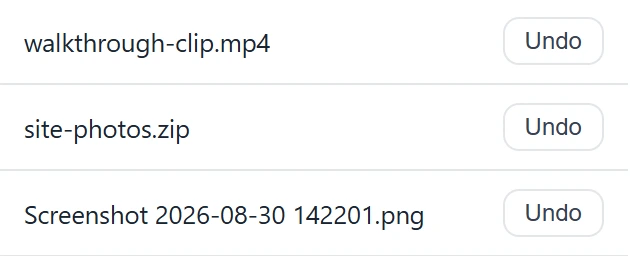
The Activity tab lists what Sortbook did, newest first, with an Undo button on each row. Deletes are listed there too, so you can reverse one.
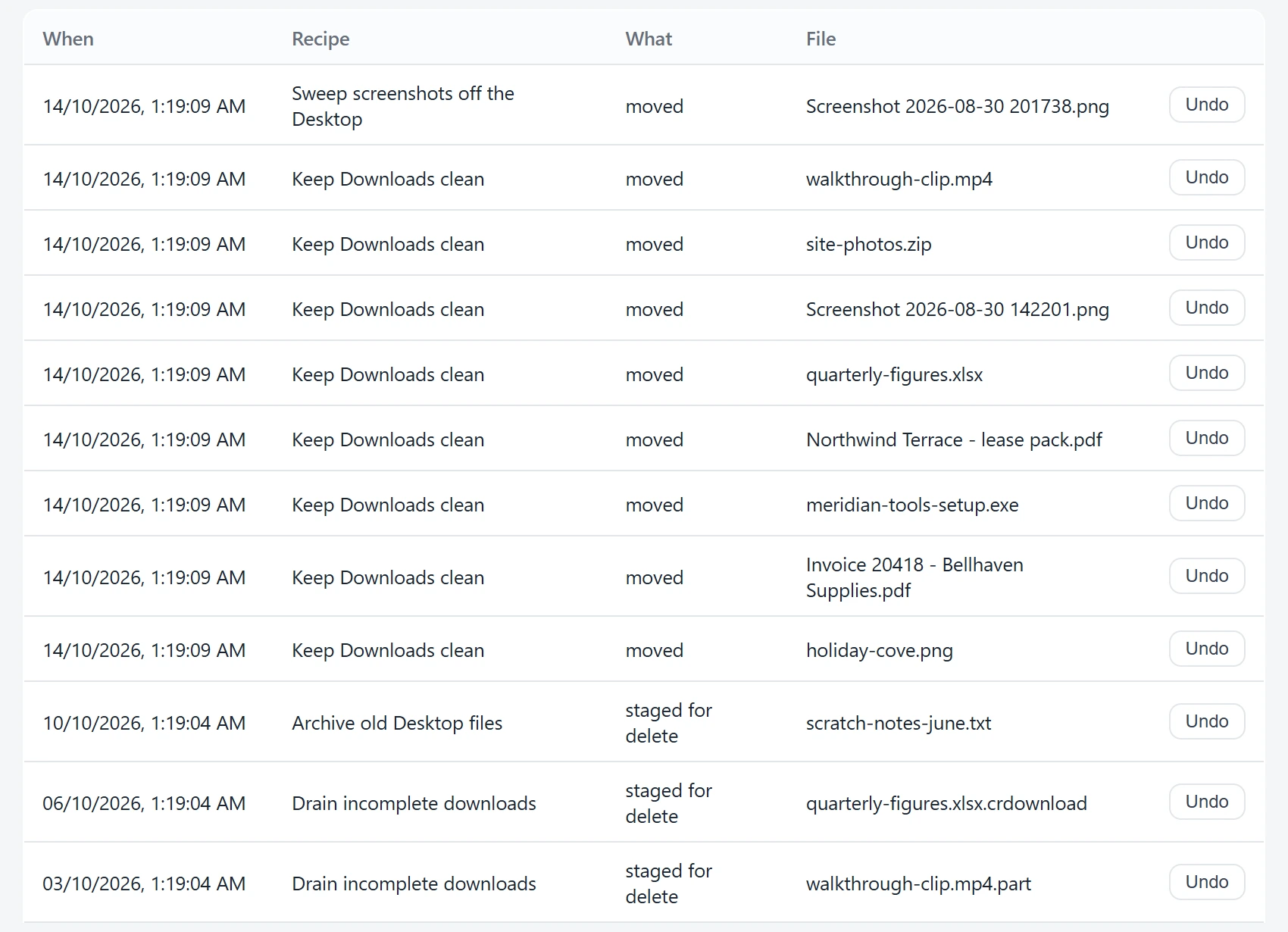
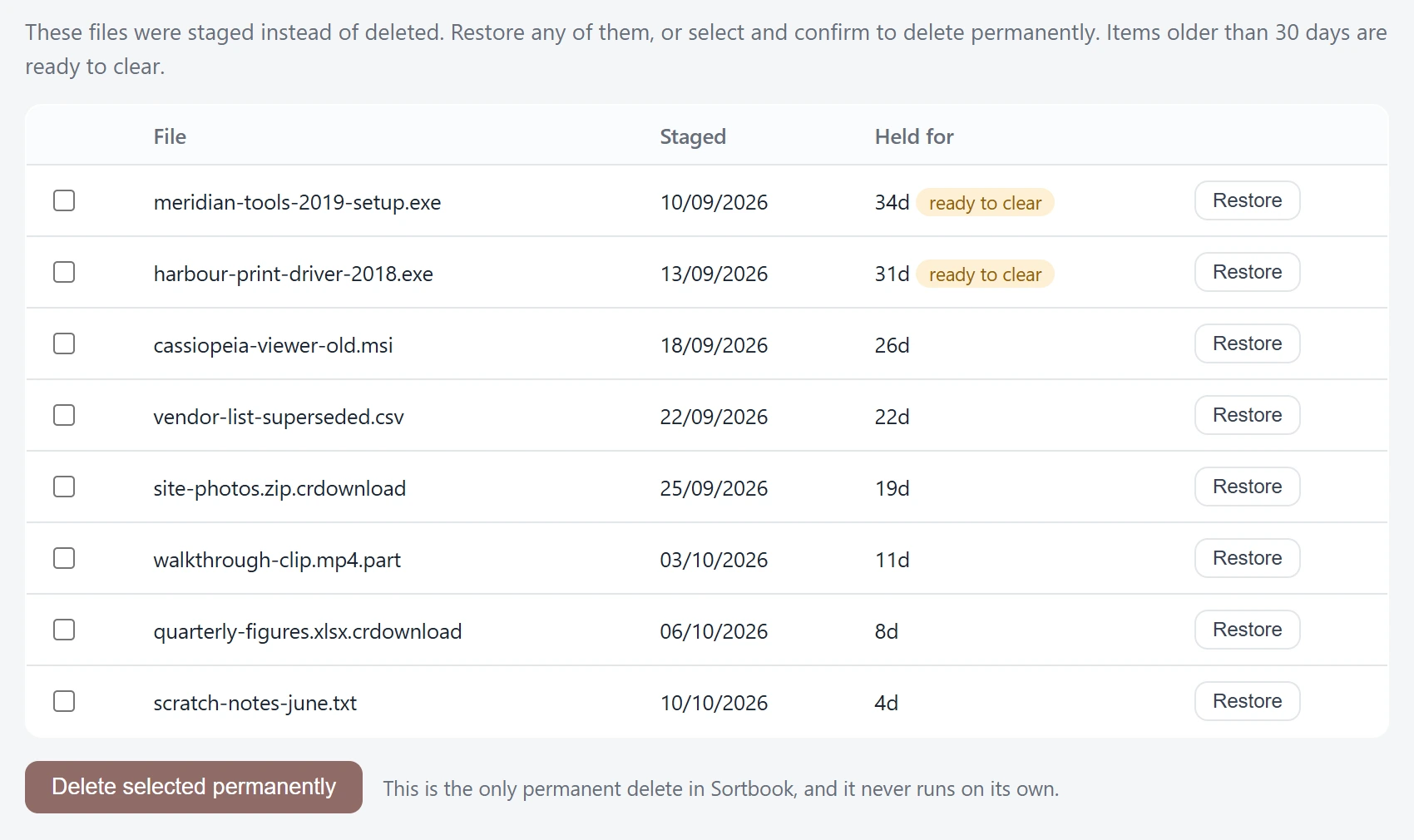
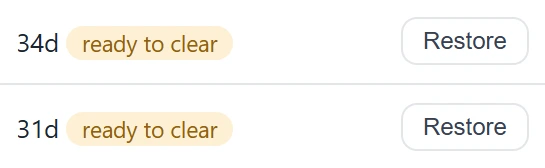
When a recipe deletes a file, Sortbook moves it to Staging instead of removing it. You restore it with one button. Sortbook removes a staged file for good only when you press the button to clear it.
What it leaves alone
Sortbook does not move your shortcuts, your folders or your hidden files, whatever a recipe says. The app says so at the top of the Recipes tab.
A file that lives only in the cloud is left alone rather than downloaded, so tidying up does not pull gigabytes over your connection.
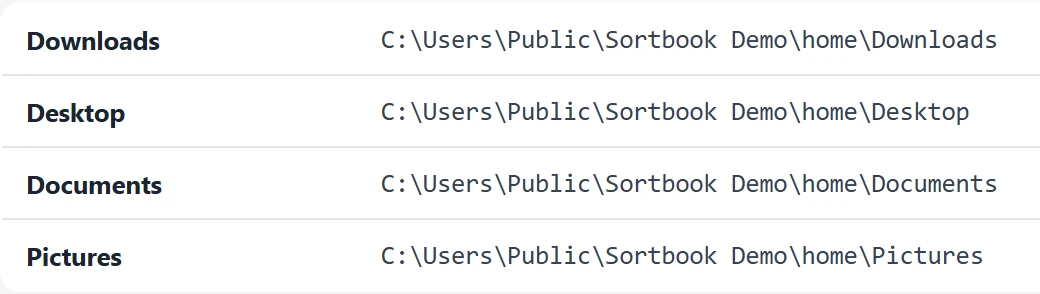
Sortbook asks Windows where your folders are instead of guessing, so a recipe that says Desktop acts on the Desktop you see, even when OneDrive has moved it.
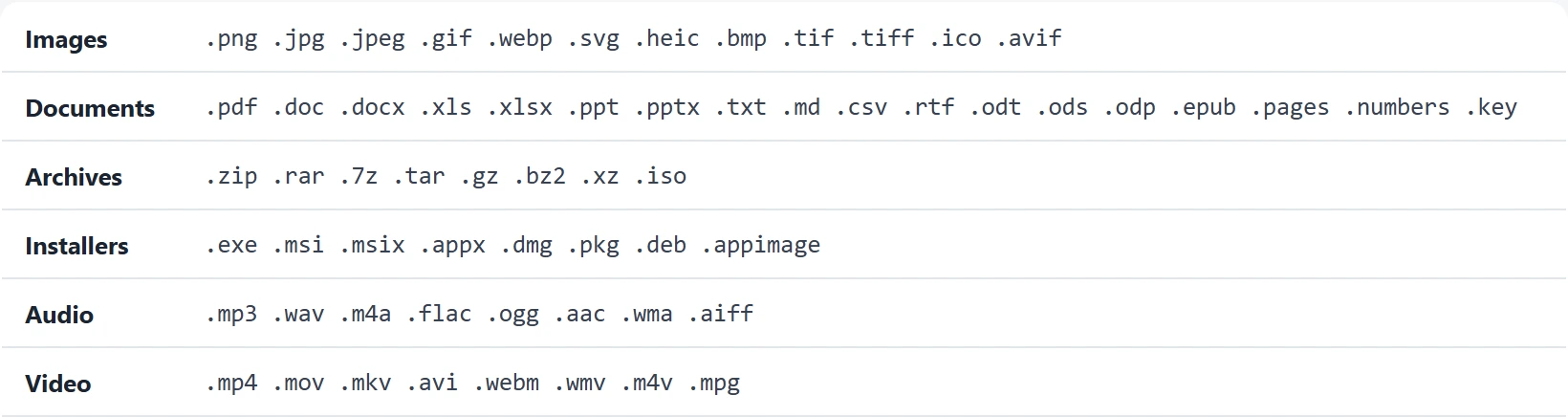
A recipe can give each kind its own folder. The app lists every kind and its file types, and files anything it does not recognise as Other.
The lists are the ones the app shows.
On your computer
Sortbook sends no telemetry and does not read what is inside your files. It sorts by file name, kind and date.
Pricing
The Microsoft Store shows the unlock's price in your currency.
Platforms
Questions
Sortbook moves the file to Staging, and you can restore it from there. Sortbook removes a staged file for good only when you press the button to clear it.
Yes. The Activity tab has an Undo button on each move. After you undo a move, the recipes leave that file where you put it.
No. A recipe works on the folders you choose. Keep Downloads clean is one of the ready recipes, and Create My Own is the blank one for any folder.
Sortbook does not move shortcuts, folders or hidden files, whatever a recipe says. It also leaves a cloud-only file alone rather than downloading it.
Sortbook sorts while it is running. A setting in the app starts it when you sign in to Windows.
Buy the one-time unlock and your recipes keep sorting. Activity, Undo and restoring from Staging keep working whether you buy it or not.
Sortbook for Mac is in development and not released yet.
Sortbook is free to install from the Microsoft Store.